Government & Public Agencies
Know The Moment Your Office
Is Mentioned On Live TV
Accurate Transcripts. Real-time Alerts. Clip & Share Instantly.
TV News Moves Fast
Staff can't watch everything and only hear about segments after they air
Misinformation spreads while the team is still looking for the clip
Corrections occur too little, too late, long after public perception is set
Receive Alerts When
Your Office Is Mentioned
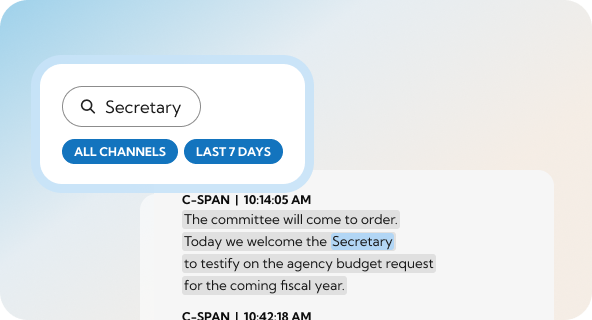
Select which TV channels you want to record and set keyword alerts for your agency, elected officials, and the issues you care about. When a mention occurs, you will receive an email in real-time, showing you the exact mention.
- Set multiple alerts to track names, agencies, bills, programs, and policy terms
- Every alert includes the channel, air time, transcript, and a link to the clip
- Customize workflows with the SnapStream API to receive alerts straight to your own tools
.png?width=592&height=324&name=email-alert%20(editable).png)

Every TV Appearance,
Easily Searchable
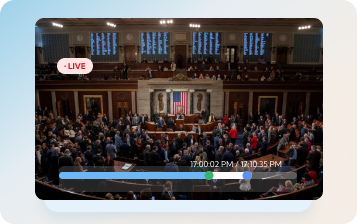
Record national and local news, C-SPAN, as well as committee hearings, floor proceedings, and other public livestreams.
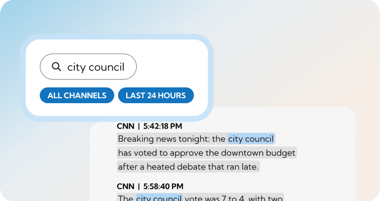
Every word is transcribed and searchable, so you can find the exact quote and review coverage immediately.
- Search by any spoken word in the broadcast
- Clip in real-time and even utilize AI to auto-clip based on certain search parameters
- Ask us to set up a test with your AI agents and the SnapStream API
Respond Immediately
Today, the public conversation happens fast. With social media, you need to be quick, internally, to steer conversation, externally. And oftentimes, the only way to effectively do this is with video.
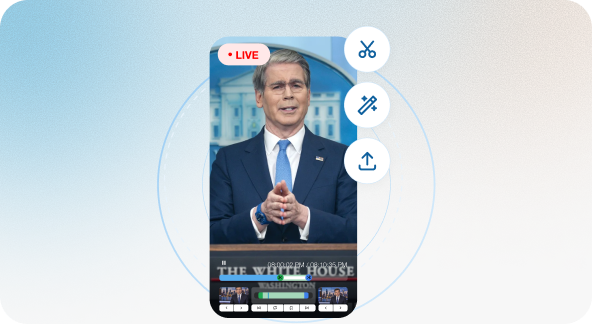
- Clip the moment and plan your response internally
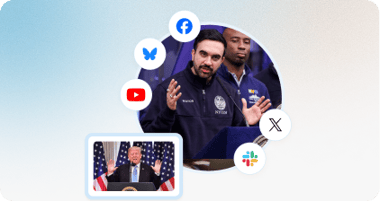
Utilize our new 'Create for Social' functionality to create social-ready vertical posts for official accounts- No seat limits allow you to scale SnapStream across your entire office
.png?width=592&height=324&name=clip-phone%20(editable).png)
Your Games
Delivered Automatically
Tell us where your files should go, and SnapStream sets it up. Each game is sent there without anyone on your team having to download or move files.
- We configure your destination for you
- Optional email or Slack notification when each file arrives
- Request sample files or a proof of concept before scaling

How It Works
Choose the channels, hearings and livestreams your office wants to monitor
Set keyword alerts for your agency, elected officials, and pressing issues
Clip the moment to share with leadership and also publish the clip to official social accounts
Want Something Different?
Tell us what you need and we will build a tailored solution around it.
Let Us KnowFrequently Asked Questions
How do government offices & public agencies monitor TV news coverage?+
Most press offices rely on staff watching channels or on reports that arrive after a segment airs. SnapStream records and monitors the channels you choose and transcribes every broadcast.
Can SnapStream alert us when our agency or elected official is mentioned on TV?+
Yes. Your team sets keyword alerts for names, agencies, bills, programs and policy terms. When a mention occurs on the channels you record, SnapStream emails an alert with the channel, air time and transcript.
Can we record congressional hearings, floor sessions, and public meetings?+
Yes. Record C-SPAN alongside congressional, state legislative, city council and other agency livestreams. Each recording is transcribed in real-time, so staff can search what was said and clip it during or after the session.
Which channels can we record?+
The world is your oyster: national and local news, business channels and international networks, plus livestreams on the Internet (YouTube Live, etc.). And if we don't have a particular channel, just make a request and we will work on acquiring it.
Do we need to install or maintain any equipment?+
No. SnapStream runs as a managed service that includes the TV subscription, recording capability, and cloud hosting. Your staff access SnapStream via Web browser.
Is there a limit on clip length?+
No. Unlike many other services, with SnapStream you can clip a 20-second quote or a full, hours-long hearing, all in HD.
How many staff members can use SnapStream?+
As many as you want. SnapStream has no seat limits, which makes it economical to open up the service across your office. Plus, every team receives personal training based on their needs.
Can SnapStream connect to our existing tools?+
Yes. The SnapStream API allows your team to create custom workflows (including with AI agents) to integrate with the tools you already use.
See SnapStream In Action
Book a quick call with us to see if this might be a fit for your team.


.png?width=75&height=71&name=Logo%20Image%20(2).png)