Elite Media Monitoring.

Capture anything. Search everything. Clip & Share instantly.

SnapStream’s Recording & Clipping Engine is the gold standard for live video across TV, web, and OTT. Super fast, intuitive and easy to use across our entire team, whether or not they’re video professionals.

From newsrooms to trading floors, for teams who need the right clip, the instant it airs.
SnapStream — Solution Cards

Rapid Response

Broadcasters, productions & comms teams decide what content they need: broadcast TV, live feeds (Reuters, ect.) and live events. Side-by-side transcript with multi-view monitoring.

Financial Institutions

Get keyword alerts & compare Bloomberg terminal headlines with actual source clips. Build your own searchable TV archive with video + captions + metadata.

Ad Sales / Partnerships

Monitor and clip from in-game/program sponsorships and send to your brand partners for proof of performance.

Media Intelligence

Capture full TV broadcasts and export to S3 (or another destination) for analysis in your own proprietary software.

How SnapStream works

SnapStream centralizes live video capture (broadcast TV, streaming & OTT) and makes it searchable by keyword.

Recording Sources

Record

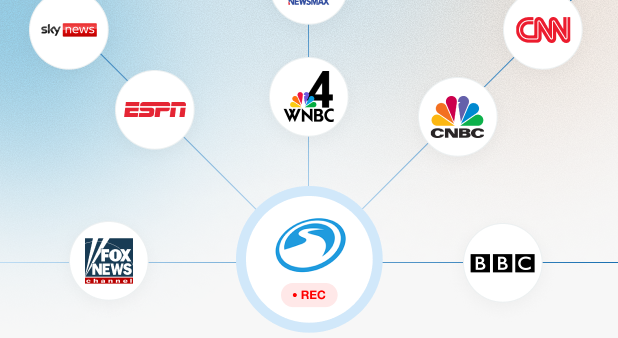
Capture and track live TV, cable, and streaming channels in real time, ensuring you never miss critical moments or updates.
search img

Search

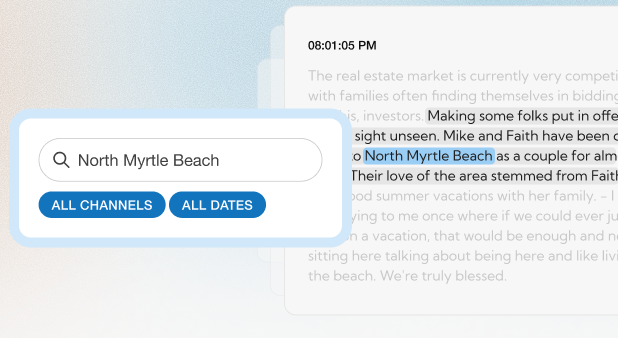
Use caption-based search and transcription to instantly locate exact quotes, keywords, or topics across your recorded content.

clip

Clip

Create, edit, and publish clips for internal review, reporting, or external distribution, all within a streamlined workflow.
share

Share

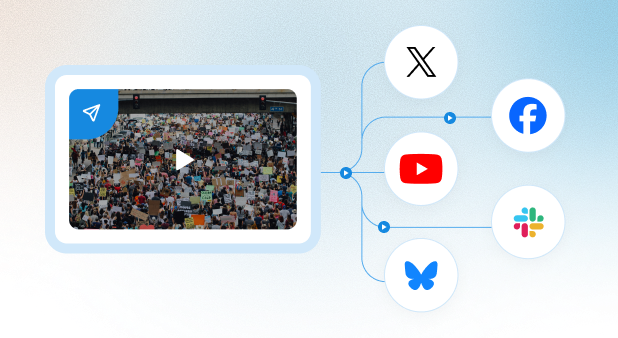
Connect with YouTube, Slack, and other platforms for secure storage, easy collaboration, and smooth content management.

SnapStream's elite media monitoring
vs. other tools

Most media monitoring platforms lock broadcasts behind an expensive suite,
charge per seat, and require an analyst to run.

Feature Other Tools SnapStream
Channel coverage Static offerings, no flexible packages or dynamic recording schedules Customizable: news, cable, streaming, government feeds, and more
Team access & pricing Per-seat or custom enterprise pricing. No per user pricing.
Fair use of the clips Locked to internal use only, can't be shared publicly No restrictions, plus fair use guidance included
Live Coverage Live coverage often delayed. Monitor multiple near real-time video feeds & transcripts
Archive Retention Up to 90 days Customizable
Integrations Limited Google Drive, Slack, YouTube, Amazon S3 + more
:root { --space-tight: 20px; /* between rows that belong to the same visual group */ --space-section: 88px; /* between one distinct section and the next */ } /* Default: tight. Most rows are just internal pieces of a section. */ [class*="dnd_area-row-"][class*="-padding"] { padding-top: var(--space-tight) !important; padding-bottom: var(--space-tight) !important; } /* Opt-in: only rows tagged as real section boundaries get the big gap. */ .section-gap { padding-top: var(--space-section) !important; padding-bottom: var(--space-section) !important; }

What our clients are saying

 25+ Years of Turning
Broadcast Into Action 

Since 2000, SnapStream has helped organizations harness the power of moments. What started as a 'DVR for business' by founder Rakesh Agrawal, has grown into the default live video content and recording hub used by almost every major broadcaster. Today, SnapStream is a category leader in media monitoring, trusted by more than just newsrooms. Government affairs teams, sports media, nonprofit and ad sales teams all obtain, clip & distribute their video with SnapStream. 

team photo

Frequently Asked Questions About SnapStream

+What is SnapStream?

 SnapStream is a media monitoring and video content hub that records live TV and streaming content, makes it searchable through transcription + closed captions and lets teams create and share clips in minutes.

+Who uses SnapStream?

 Newsrooms, government affairs teams, sports media organizations, ad sales teams, financial services teams and PR + communications departments use SnapStream to monitor broadcast coverage, sharing clips with internal stakeholders & outsiders. 

+What channels can SnapStream record?

 SnapStream by default records anything on cable TV: Fox News, Fox Business, CNN, MS Now, CNBC, ESPN, ect. it is also customizable to record live events, streaming services, live newswire feeds and government hearings. 

+Do I need video editing experience to use SnapStream?

 No. SnapStream is designed so producers, communications staff and sales teams can record, search, and clip video without any prior video editing experience.

+Is SnapStream priced per seat?

 No. SnapStream does not charge per user. Teams can create as many accounts as needed without affecting the price. 

+What can I do with a SnapStream clip once I create it?

 SnapStream clips can be sent directly to Google Drive, an Amazon S3 bucket, shared in Slack or email, published to YouTube, Bluesky or X, or even directly exported for editing and archiving.